

Most breaches come from well-known weaknesses, not exotic attacks. Attackers use automated tools that scan the internet for outdated software, weak passwords and common coding mistakes. Covering the basics protects you against the large majority of them, and you do not need a dedicated security department to do it.
Know the common threats
The OWASP Top 10 is the industry's standard list of the most critical web application risks. Among the most common:
- Broken access control: users reaching data or actions they should not.
- Injection: attacker-supplied input interpreted as database commands or code.
- Cross-site scripting (XSS): malicious scripts running in other users' browsers.
- Authentication failures: weak passwords, no rate limiting, poor session handling.
- Vulnerable and outdated components: known flaws in old libraries and servers.
- Security misconfiguration: debug mode on, default passwords, open storage.
The essentials
Keep everything updated
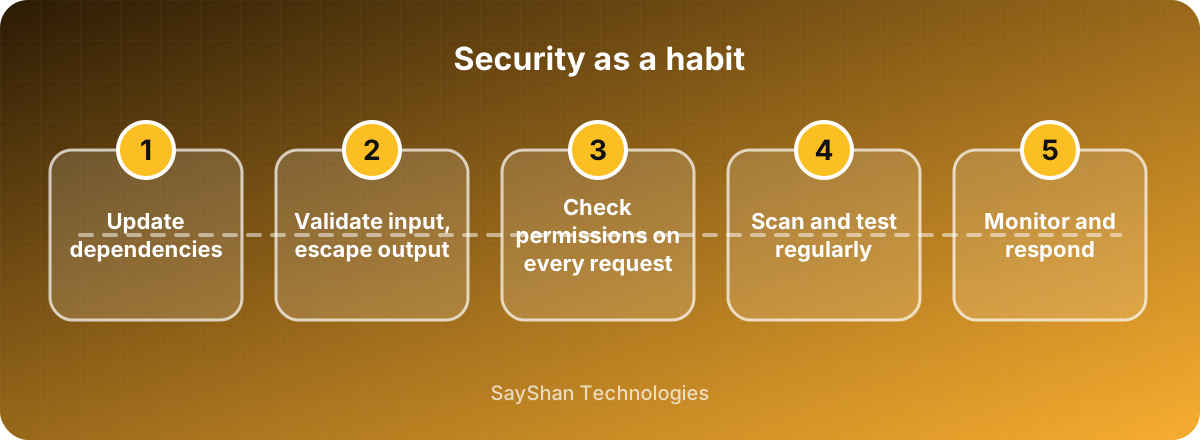
Frameworks, libraries, server software and your operating system receive security fixes regularly. Apply them promptly and automate dependency checks so you hear about vulnerable packages quickly.
Validate input and escape output
Never trust data from the browser. Validate it on the server, use parameterised database queries and escape output in templates. Use your framework's built-in protections rather than writing your own; for example, modern frameworks escape template output and protect forms with CSRF tokens by default.
Protect accounts
- Hash passwords with a modern algorithm such as bcrypt or Argon2; never store them in plain text.
- Rate-limit login attempts and consider temporary lockouts.
- Offer two-factor authentication, and require it for administrators.
- Regenerate the session after login and expire it after inactivity.
Check permissions on every request
Never assume a user may access a record just because they know its ID. Verify ownership or role on the server for every read, update and delete. This single habit prevents a huge class of data leaks, sometimes called IDOR or broken object-level authorisation.
Use HTTPS everywhere
Encrypt all traffic, redirect HTTP to HTTPS and set secure, HttpOnly and SameSite flags on cookies. Add security headers such as Content-Security-Policy and Strict-Transport-Security where practical.
Protect your secrets
Store API keys, database passwords and tokens in environment variables or a secrets manager, never in the code repository. Use separate secrets for development and production, give each service only the access it needs, and rotate keys immediately if they might have leaked.
Secure file uploads
Accept only the file types you need, check the real content type, limit the size, rename files and store them outside the web root or on object storage. Never execute uploaded files.
Prepare for the worst
- Backups: take regular backups and test restoring them.
- Logging: record sign-ins, permission changes and sensitive actions, without logging secrets.
- Incident plan: decide in advance who investigates, who communicates with customers and how you rotate credentials.
Test regularly
Run dependency and static-analysis scanners in your pipeline, and consider an independent security review or penetration test before major launches. Fix findings by severity, and re-test afterwards.
Key takeaways
- Most attacks target known, preventable weaknesses.
- Update dependencies, validate input and check permissions every time.
- Hash passwords, offer two-factor authentication and use HTTPS.
- Keep secrets out of code and test your backups.
Keep learning
- Protecting Customer Data: Privacy Basics for Businesses
- CI/CD Basics: Ship Small, Ship Often, Sleep Well
Frequently asked questions
Is my small website really a target?
Yes. Automated bots scan everything, regardless of size. Small sites are often attacked because they are less protected.
What is the single most valuable step?
Keeping software updated and checking permissions on every request prevent a large share of real-world incidents.
Do I need a firewall for my web app?
A web application firewall can add a useful layer, but it does not replace secure code. Use it in addition, not instead.
How often should we do a security review?
Review dependencies continuously, run scans on every release and arrange an independent assessment before major launches or at least yearly.