
Almost everyone thinks they'd never fall for a phishing email. Almost everyone is wrong, at least on a bad day. Phishing doesn't succeed because people are stupid. It succeeds because it lands in the middle of a busy morning, looks a lot like something you expected, and asks for a quick click.
Knowing the patterns helps, but the habit matters more.
What phishing is
Phishing is a message, usually an email but also a text, a phone call or a chat message, that pretends to be someone you trust in order to make you do something. Click a link, open an attachment, enter a password, pay an invoice, buy gift cards.
The attacker isn't breaking into your computer. They're asking you to open the door.
The signs that give it away
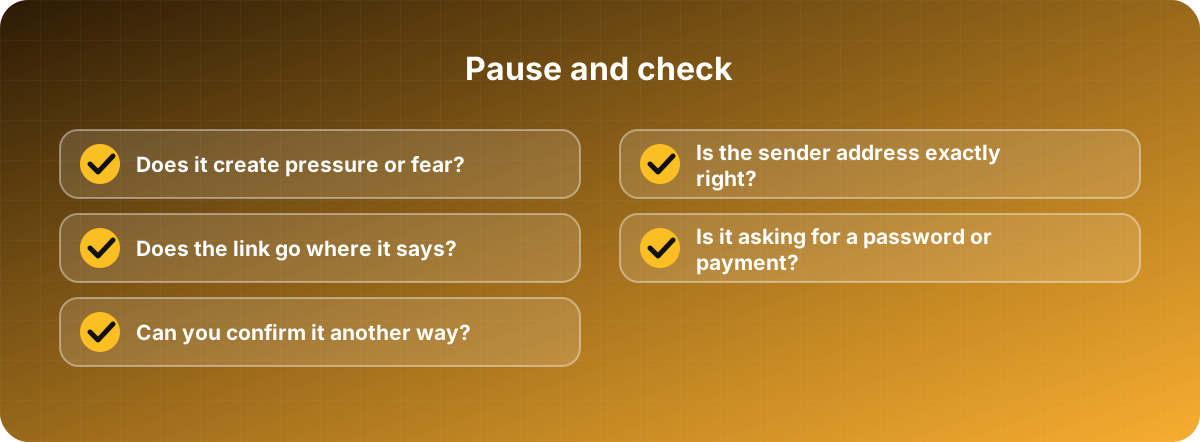
Pressure. "Your account will be closed in 24 hours." "Urgent: payment overdue." "The CEO needs this now." Creating panic is the point, because panicking people skip the checks.
An unexpected request. Your boss has never asked you to buy vouchers. The courier you never booked wants a fee. The bank you don't use needs you to confirm details.
A strange sender. Look at the actual address, not the display name. support@paypa1-security.com isn't PayPal. Small misspellings, extra words and odd domains are common.
Links that lie. On a computer, hover your mouse over a link before clicking and read where it points. On a phone, press and hold. If the address doesn't match what the message claims, stop.
Odd attachments. Invoices and "scanned documents" that arrive without warning, particularly zip files, or Office files asking you to "enable content."
Requests for passwords or codes. A real company won't ask for your password by email. And nobody legitimate needs the code that was just texted to you.
Poor wording, but not always. Bad grammar is a clue, but don't rely on it. Attackers now write clean, convincing messages, and some use AI tools to do it.
The habit that stops most attacks
Pause, and verify another way. If a message asks for money, a password or something unusual, don't use the link or number in the message. Open your bank's app by yourself. Phone your colleague on the number you already have. Walk over and ask.
It takes a minute and defeats nearly every phishing attempt, including the sophisticated ones.
Beyond email
The same trick appears in other places. Text messages about a missed parcel. Phone calls from "your bank's fraud department." Messages on WhatsApp from a friend whose account has been taken over, asking for money. Fake login pages that look identical to the real one. Treat all of them the same way: slow down, check separately.
If you clicked
It happens, and the most important thing is to say so quickly. Don't hide it out of embarrassment. The sooner your IT person or manager knows, the more they can do.
Steps that help:
- Disconnect from the network if you opened a strange file.
- If you typed a password, change it right away, and anywhere else you've used it.
- Tell your IT team or security contact straight away.
- If money or card details were involved, call your bank.
- Watch your accounts over the next few weeks.
For business owners
Make reporting easy and blame-free. If people fear being punished, they'll hide mistakes, and a hidden mistake is far more expensive than an admitted one. Run short, friendly training with real examples, and test staff with practice phishing emails if you like, but treat the results as learning rather than a way to catch people out.
Also put technical safeguards in place: two-factor authentication on every account, email filtering, and automatic updates. Then one slip doesn't have to become a disaster.