
Picture arriving at work to find every file on the shared drive renamed to something unreadable, and a message on screen asking for payment to get them back. That's ransomware, and small businesses get hit as often as large ones, because attackers know they tend to have weaker protection.
You can't make yourself completely immune. But you can make sure an attack is an inconvenience instead of a catastrophe, and the main tool for that is a good backup.
How it happens
Ransomware is malicious software that encrypts your files so you can't open them. It usually arrives through a phishing email, a dodgy download, or a weakness in software that hasn't been updated, or through a remote access service left open with a weak password.
Many attackers now also steal a copy of your data before locking it, and threaten to publish it. That means a backup solves the "can't work" problem but not the "data leaked" one. Both matter.
Why backups are your best defence
If you have clean, recent copies of your data, you can restore your systems and carry on without paying anyone. The attacker's leverage disappears.
Paying is a bad bet. There's no guarantee you'll get the files back, some people who pay are targeted again, and it funds more attacks. Authorities in many countries advise against it. Backups remove the temptation.
The 3-2-1 rule
A simple rule that works well:
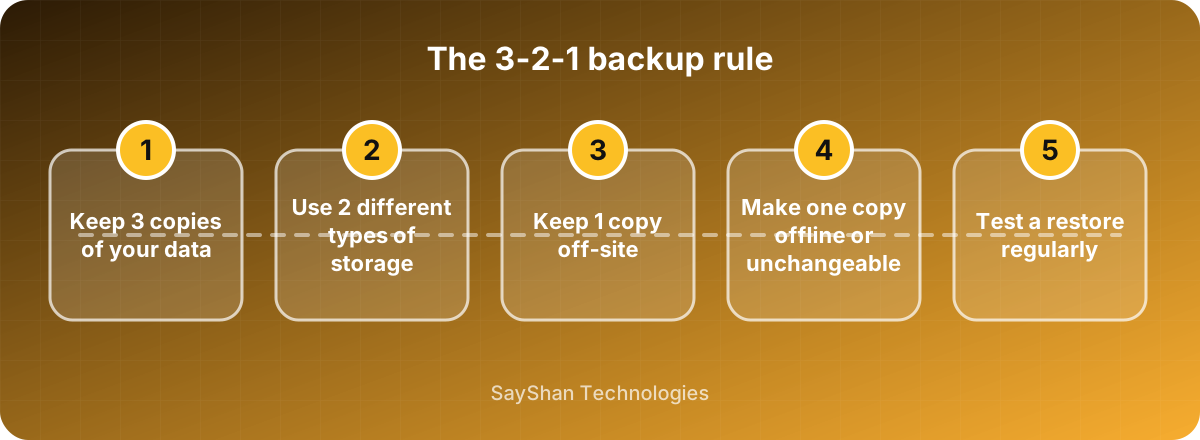
- 3 copies of your important data: the original and two backups.
- 2 different kinds of storage, for example a local disk and cloud storage.
- 1 copy off-site, so a fire, flood or theft at the office doesn't take everything.
Many security people now add a fourth idea: at least one copy that can't be changed or deleted by an attacker. That could be an offline disk that's unplugged after backing up, or cloud storage with "immutable" or versioning features turned on. It matters because modern ransomware actively looks for connected backups and encrypts those too.
The mistake almost everyone makes
They never test the restore. A backup that hasn't been restored is a hope, not a plan. Backups fail quietly: a job stops running, a folder is missed, a disk fills up, and nobody notices until the day it matters.
Every few months, pick some files and actually restore them to somewhere else. Time how long a full restore would take. If it would take a week, you need to know that now.
Other protection that helps
Updates. Install them on computers, servers, routers and anything else on your network. Many attacks use old, known flaws.
Two-factor authentication. Turn it on for email, cloud services and especially remote access.
Limit access. People should only reach the files they need. If one account is compromised, the damage stays smaller.
Don't leave remote access open. Remote desktop exposed to the internet is a favourite way in. Use a VPN or a proper remote-access tool with strong authentication.
Basic security software. Keep it current on every device.
Train your team. Most attacks start with a person clicking something. See our guide to spotting phishing.
If you're hit
Stay calm and act in order.
- Disconnect affected computers from the network and Wi-Fi straight away, to stop it spreading. Don't switch them off unless advised, as that can lose useful evidence.
- Tell your IT support or a security professional immediately.
- Don't pay in a rush. Look at your backups first.
- Identify what's affected and what was taken.
- Report it to the police or the relevant cyber authority in your country. If personal data was involved, you may have legal duties to inform customers and regulators.
- Rebuild from clean backups, and change all passwords once systems are clean.
Having this written down before it happens, even as one page with the phone numbers you need, makes a stressful day far easier.