
Nothing deflates a launch like an email from Apple that begins "We noticed an issue with your submission." You've been building for months, the marketing is ready, and now you wait, fix and resubmit.
The frustrating part is that most rejections aren't surprising. The same handful of reasons show up again and again, and nearly all of them can be caught before you submit.
The app crashes or doesn't work
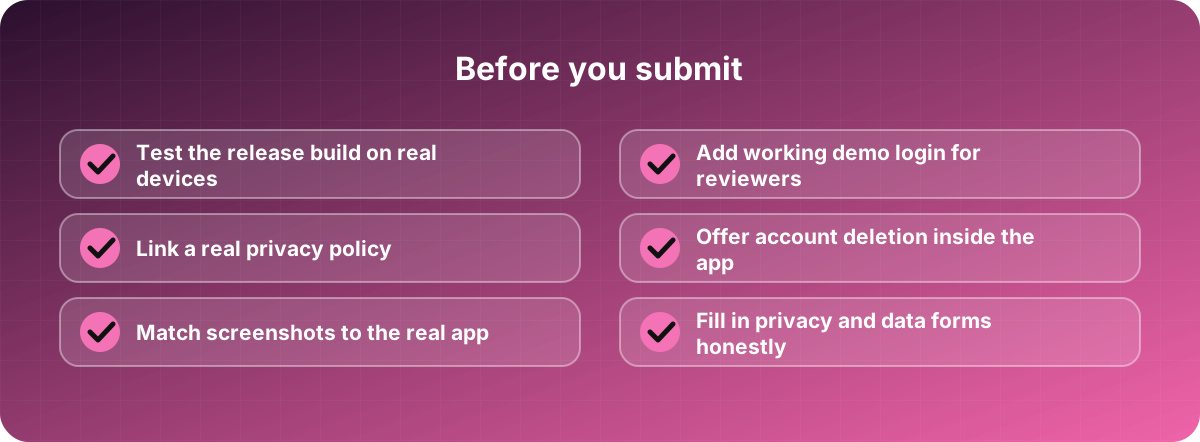
The most common reason, and the most embarrassing. Reviewers open your app on a real device, tap around, and if it crashes or a button does nothing, you're out. Test the actual release build, not just the debug version on your laptop's simulator, and test on a few real phones, including an older one.
Reviewers can't get in
If your app needs a login, the reviewer needs working credentials. Both stores let you provide a demo account in the submission notes. Forgetting this, or giving an account that has expired or needs a code sent to your phone, is a classic cause of delay. Make sure the demo account has some sample data too, so the screens aren't empty.
It looks unfinished or too thin
Apple in particular rejects apps that feel like a website wrapped in a shell, show placeholder text, or offer very little beyond what a website already does. If your app is basically a web view, give it features that make use of the phone, such as notifications, offline access or the camera, or reconsider whether you need an app.
Privacy problems
This is where many teams get caught, because the rules are detailed and they change.
You need a real privacy policy at a working link, and it has to match what the app actually does. Both stores ask you to fill in forms describing what data you collect and why. Be accurate; if the form says you collect nothing and the reviewer sees analytics running, that's a rejection.
Apple also requires that if people can create an account inside your app, they can delete it from inside the app too. Many teams discover this at the last minute. Ask for permissions like location or camera only when needed, with a clear explanation of why.
Payments done the wrong way
If you sell digital goods or features inside the app, such as subscriptions, premium content or credits, the stores generally require you to use their own billing systems, and they take a commission. Physical goods and real-world services, like a delivery or a ride, usually follow different rules. Read the current guidelines for your case before you build the payment flow, because redoing it later is expensive.
Misleading listings
Screenshots that show features the app doesn't have, a name stuffed with keywords, or a description that overpromises can all get you flagged. Show the real app. Looking a little plain is better than a rejection.
Google Play has its own quirks
Play is often quicker to review but has its own requirements: the data safety form, targeting a recent Android version, and for some new developer accounts, a period of closed testing with a minimum number of testers before you can publish. The exact rules change, so check the current requirements early. Don't leave it until launch week.
Make rejection less painful
Plan for it. Don't set your launch date for the day after you submit. Leave a week or two of slack, and read the rejection message carefully, since it usually says exactly what to fix. If you disagree with a decision, you can reply to the reviewer or appeal, and a polite, specific response often works.