
Think about your last week at work. How much of it went on copying details from an email into a spreadsheet, chasing invoices, sending the same reminder, or updating three systems with the same information? For most small businesses, it's a surprising amount, and it's exactly the kind of work software is good at.
Automation sounds like a big-company thing. It isn't. Many of the most useful changes cost very little.
Start with the annoying stuff
The best first project isn't the cleverest one. It's the task that people on your team groan about, because it's repetitive, takes real time and has an obvious right answer.
Common examples: sending order confirmations and delivery updates, following up on unpaid invoices, adding new enquiries to your customer list, posting the same content to several places, producing a weekly sales summary, and booking and reminding people about appointments.
A simple test
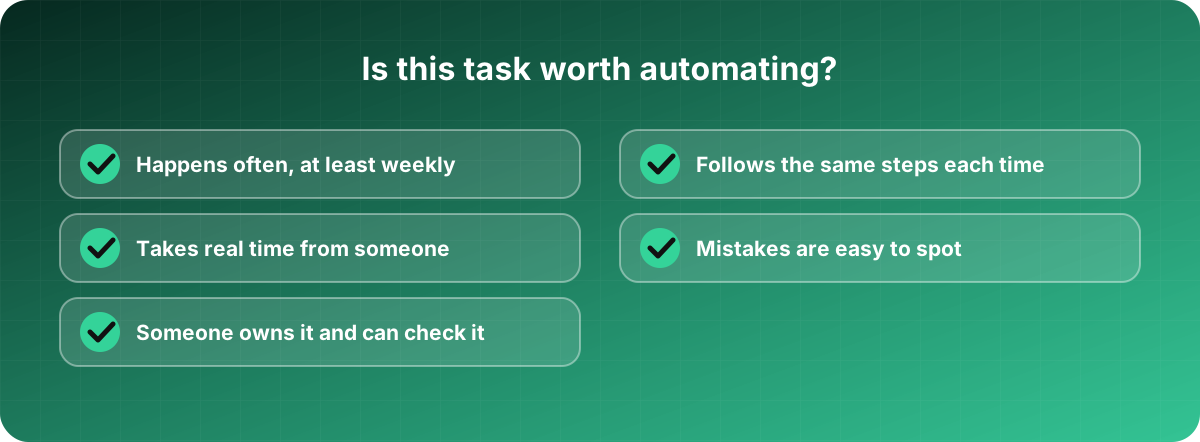
A task is a good candidate when it happens often, follows the same steps each time, eats a noticeable amount of someone's time, and has mistakes that are easy to notice. If it needs a lot of judgement or changes every time, leave it for now.
Write down how the task is done today, step by step. That alone is revealing. You'll often discover steps nobody needs, and that's a free win before you build anything.
Tools you can try
You don't always need developers. No-code tools such as Zapier, Make and similar services connect apps to each other: when a form is submitted, add a row to a sheet, send an email and notify the team. Many accounting, e-commerce and booking tools also have automations built in that people never switch on.
Look at what you already pay for before you buy something new.
When your needs get more specific, say you have unusual rules, a lot of volume or an old system with no connections, that's when custom development makes sense. A small script or integration that does exactly one job can pay for itself quickly.
AI tools can help too, with things like sorting emails, drafting replies or pulling details out of documents. Treat their output as a draft that a person checks, especially when customers will see it.
Mistakes to avoid
Automating a messy process. If the steps are confusing, you'll just make the confusion faster. Tidy the process first.
Starting too big. Don't try to automate the whole business. Do one thing, see that it works, then pick the next one.
No owner. Automations break. A connection changes, a password expires, an app updates. Someone needs to know it exists and look at it now and then.
No checks. An automation that sends a wrong email to every customer does so very efficiently. Start with a small test group, and set up an alert for when something fails.
Forgetting people. Tell your team what's changing and why. If the message is "this removes the boring bits," they'll help. If they think it's about replacing them, they'll quietly work against it.
Ignoring privacy. Be careful about where customer data goes. Every tool you connect is another place it lives. Check where it's stored and who can see it.
How to know it's working
Choose one number before you start, such as hours spent per week or the number of late invoices. Measure it before and after. If it doesn't improve, change the approach or stop. Don't assume it helped because it feels modern.
A realistic goal for a first project is an hour or two saved each week. That might not sound like much, but it adds up to days over a year, and more importantly it builds the habit of looking for the next one.