
The name is a bit of a lie. There are still servers. You just don't see them, set them up or patch them. You upload a function, the cloud provider runs it when something triggers it, and you pay for the time it actually runs.
For the right job that's lovely. For the wrong one it's an expensive way to make your life harder.
Where it's genuinely good
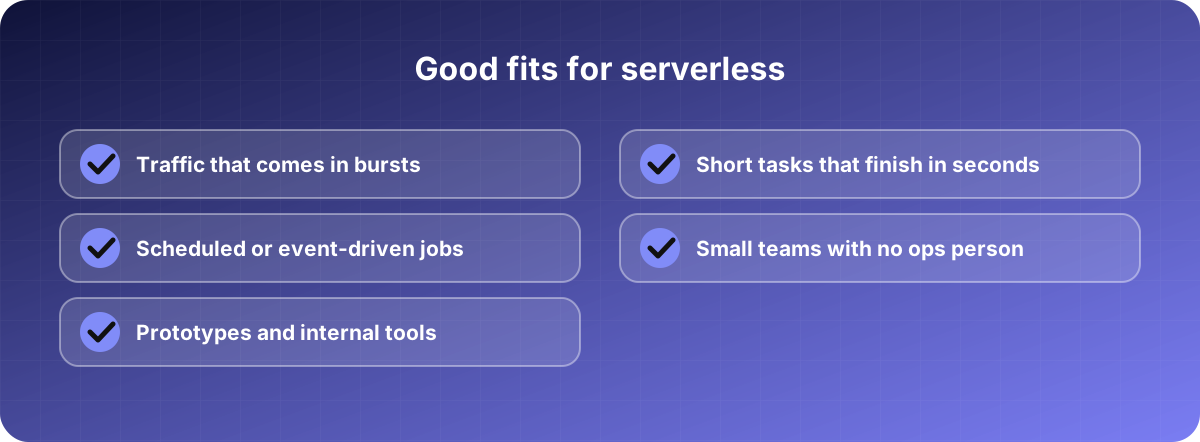
Think of work that happens in bursts. A contact form that gets forty submissions a day. A nightly job that resizes uploaded images. A webhook that receives payment notifications. Running a server around the clock for any of these means paying for a machine that sits idle 99% of the time.
With serverless, idle costs nothing. Many small projects fit inside the free tier of the big providers and never see a bill. You also skip server patching and capacity planning, which matters a lot if your team is three people and none of them is an infrastructure specialist.
Where it bites
Cold starts. If a function hasn't run for a while, the first request has to wait while the platform spins it up. Depending on the language and the size of your code, that can add anything from a barely noticeable delay to a couple of seconds. For a background job nobody cares. For a checkout page, they do.
Steady heavy traffic. Pay-per-run pricing is great at low volume and can cost more than a plain server at high, constant volume. The crossover point depends on your workload, so run the numbers with your own traffic before you commit. Don't trust a generic calculator.
Debugging. Your code runs somewhere you can't log into, split into many small pieces. Reproducing a bug locally takes more effort, and tracing a request across several functions needs proper logging from day one.
Limits. Functions have maximum run times and memory caps. A job that takes twenty minutes doesn't belong in a function that's cut off after fifteen.
Lock-in. Each provider has its own way of doing triggers, permissions and deployment. Moving later is possible but rarely quick. If that worries you, keep your business logic in plain code and make the provider-specific layer thin.
A cost trap worth knowing
The function itself is often cheap. The things around it are what add up: the API gateway in front, the logs you store, data leaving the cloud, a database that's billed even when idle. Check the whole chain, not only the line that says "compute".
Also watch for loops. A function that triggers itself by accident, or retries forever on an error, can run up a large bill overnight. Set budget alerts and concurrency limits before you go live. It takes ten minutes and it's the best insurance you'll buy.
Our rule of thumb
If the workload is spiky, short and event-driven, start with serverless. If it's a steady, always-busy application with long-running tasks, a normal server or container is usually simpler and cheaper. Plenty of good systems use both: a regular app for the core, and a few functions for the odd jobs around it.