

Finishing the code is only part of launching an app. The final weeks are about quality, store requirements and preparing to learn from real users. Use this checklist to avoid last-minute surprises and to make launch week calm instead of chaotic.
1. Product quality
Real users have older phones, small screens, patchy connections and unexpected habits. Test for them.
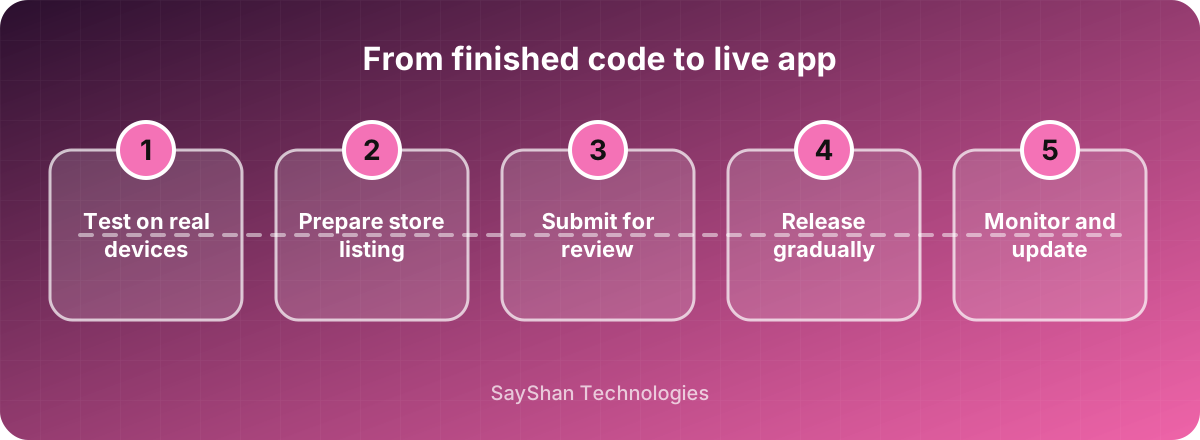
- Real devices: test on at least a few real phones, including an older model and a small screen. Emulators miss performance and hardware issues.
- Network conditions: try slow, intermittent and no connection. The app should show helpful messages and recover gracefully.
- Every state: make sure each screen handles loading, empty and error states, not only the happy path.
- Interruptions: test calls, notifications, rotating the screen, switching apps and low battery.
- Accessibility: check large text, screen readers and sufficient colour contrast.
2. Store requirements
Both Apple and Google have rules you must satisfy before approval.
- Listing assets: an icon, screenshots for the required device sizes, a clear title, short and long descriptions and keywords.
- Privacy policy: a public URL that explains what data you collect and why.
- Data declarations: complete the App Store privacy details and the Google Play data safety form honestly and accurately.
- Permissions: request only what you need and explain why at the moment you ask.
- Account deletion and sign-in rules: if people can create an account in the app, the stores generally expect an in-app way to delete it, and Apple has specific rules around sign-in options.
- Content rating and legal: answer the age-rating questionnaire and check requirements for your industry, such as payments or health.
Allow time for review. First submissions can take several days, and a rejection needs a fix and resubmission.
3. Quality and insight tools
You cannot fix what you cannot see.
- Crash reporting: add a tool that reports crashes with device and version details, so you see problems before reviews do.
- Analytics: track the few actions that matter, such as sign-up, first key action and purchase. Keep it privacy-respecting and respect consent rules.
- Remote configuration and feature flags: let you switch off a faulty feature without waiting for a store review.
- Force-update mechanism: plan how to require an upgrade if a critical bug or security issue appears.
4. Release gradually
Both stores support staged rollouts. Release to a small share of users first, watch crash-free sessions and key metrics, then expand. A phased rollout turns a potential disaster into a small, fixable issue.
5. Prepare support
- A support email or in-app contact option that someone actually reads.
- A short FAQ for common questions.
- A plan to reply to store reviews, especially critical ones, politely and quickly.
6. After launch
- Watch crash-free sessions and funnel steps daily for the first two weeks.
- Read every review and support message; they are free research.
- Keep a short list of quick fixes ready for the first update, usually within a couple of weeks.
- Plan your roadmap from real behaviour, not from guesses.
Key takeaways
- Test on real devices and in poor network conditions.
- Prepare store assets, privacy details and permissions early.
- Add crash reporting and analytics before launch, not after.
- Roll out gradually and be ready to ship quick fixes.
Keep learning
Frequently asked questions
How long does App Store review take?
It varies, but plan for a few days for a first submission, and more if the app is rejected and resubmitted.
Do I need a privacy policy?
Yes. Both stores require a public privacy policy URL, and your data declarations must match what the app actually does.
Should I launch on iOS and Android at the same time?
If you use a cross-platform approach it is easy to launch on both. Otherwise start where most of your audience is and add the second platform afterwards.
What if my app is rejected?
Read the reviewer's note, fix the specific issue and resubmit with a clear explanation. Most rejections are about missing information or guideline details, and are quick to resolve.