
Developers have taken to AI coding assistants faster than almost any tool in recent memory. They finish your line of code, write a function from a comment, explain code you've never seen and draft tests nobody wanted to write. Used well, they're a real boost. Used carelessly, they create a mess that someone has to clean up later.
Here's how we think about it.
Where they genuinely help
Boring, well-understood work is the sweet spot. Boilerplate, data conversion, form validation, repetitive tests, regular expressions you'd otherwise look up, and first drafts of documentation. They're also useful for explaining unfamiliar code, which makes joining a legacy project less painful.
They're good at getting you unstuck too. Describing a problem to an assistant, even if its first answer is wrong, often helps you see the right approach.
Where they cause trouble
Confident mistakes. An assistant will produce code that looks perfect and doesn't work, or works for the example and breaks on real data. It might call a function that doesn't exist or use an old version of a library. The tone is always sure of itself, which makes errors easy to miss.
Security holes. Generated code can include weak patterns: unsanitised input, outdated crypto, secrets written directly into files. It copies what's common, and what's common isn't always safe.
Code nobody understands. If a developer pastes in a hundred lines they don't follow and it passes the tests, they've just made a future bug nobody can debug. The code works until it doesn't, and then no one knows why.
Design drift. Assistants optimise for the snippet in front of them, not for your architecture. Left alone, they can introduce several different ways of doing the same thing across a codebase.
Habits that work
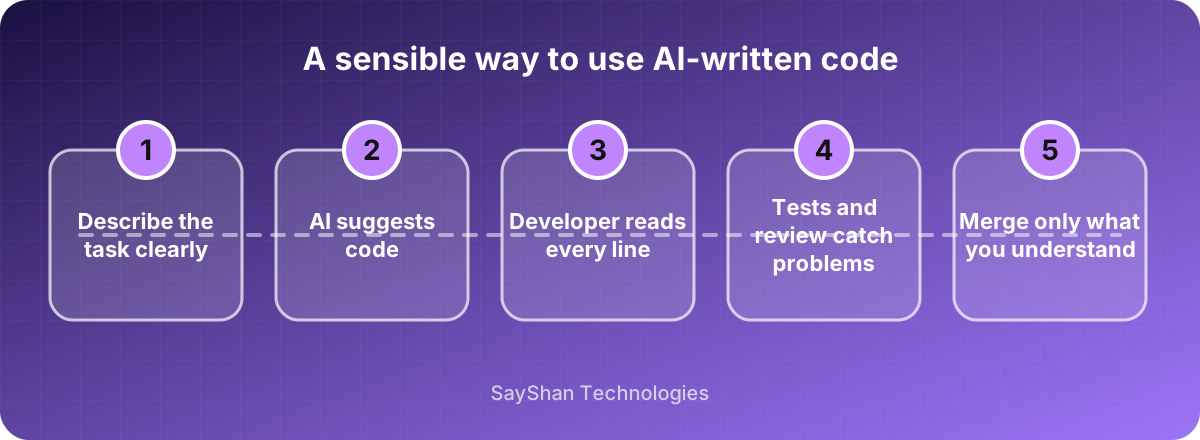
Read everything it writes, as if a stranger had submitted the pull request. If you can't explain a block of code to a colleague, don't merge it.
Keep your tests and code review exactly as strict as before. If anything, lean on them more. Ask the assistant to write tests, then read the tests too, since a test that checks nothing is worse than no test.
Keep tasks small. "Write a function that validates this phone number format" works well. "Build me a billing system" produces something plausible, impressive and unusable.
Run your normal security scans and dependency checks on generated code. It deserves the same scrutiny as anything else.
Be careful what you paste in
Anything you type into a cloud assistant may leave your machine. Know your tool's data terms: whether your code is stored, and whether it's used for training. Don't paste in API keys, customer data or code under a client's confidentiality agreement unless your contract and the tool's settings allow it. Many companies write a one-page policy for this. It's worth the hour.
What about junior developers?
This is the question we think about most. Assistants can speed up a junior's output, but they can also let someone skip the struggle where understanding is built. Our advice to newer developers is to use the tool to learn, not to avoid learning: ask it to explain, then try to write the next piece yourself. Seniors should review with that in mind.
Will it replace developers?
Not in any way we can see right now. The hard part of software was never typing. It's understanding what the business needs, choosing trade-offs, and keeping a system working for years. Assistants help with the typing. The thinking is still ours.